

The humble monitor arm: the overlooked detail of the modern workspace
The humble monitor arm: the overlooked detail of the modern workspace

Share
As workspaces become increasingly technology-driven, the humble monitor arm has evolved from a functional accessory into an important part of the workplace design equation.
Humanscale’s range combines refined aesthetics with considered engineering, offering interior designers a way to integrate screens into a workspace without compromising its visual or functional clarity.
For interior designers, specifying a monitor arm can often feel like an afterthought. Yet as monitors become larger, heavier and more numerous, the hardware supporting them has an increasingly important role to play. In a well-resolved workplace, the monitor arm should do more than hold a screen: it should support ergonomics, adaptability and longevity while contributing to the overall language of the interior.
This is where Humanscale’s monitor arms stand apart.
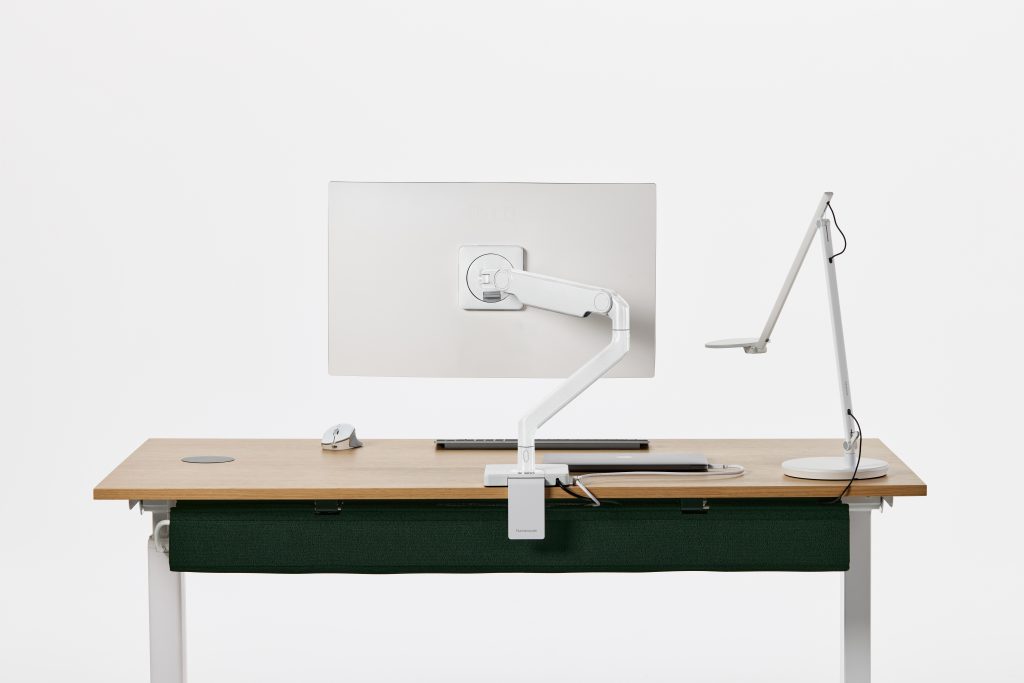
Designed originally in the US, the M/Class range includes the M2 Pro and M8 Pro, with the latest iterations increasing weight capacity to accommodate the growing size of contemporary displays. The M2 Pro supports monitors weighing up to 10 kilograms and can support curved monitors and screens, while the M8 Pro can accommodate up to 22 kilograms – making it also suitable for curved screens and also the larger screens that are increasingly common in professional environments.
Both the M2 Pro and M8 Pro have EPDs (environmental product declarations) and Declare labels.
The functionality is deliberately intuitive. Monitors can be raised, lowered, tilted, rotated and extended, allowing users to establish a comfortable viewing position and adapt their workstation as their needs change through the day. For designers, that flexibility is particularly relevant to workplaces embracing hot-desking, hybrid work and agile configurations, where a workstation may need to accommodate multiple users over its lifetime.
Behind the pared-back appearance is where much of the engineering lies. Unlike many competing products that rely on gas mechanisms, Humanscale uses a mechanical spring system designed to maintain performance over time. Bronze bushings, rather than plastic components, further reduce wear and tear, supporting the longevity expected of a product intended for demanding workplace environments.
No devils in these details
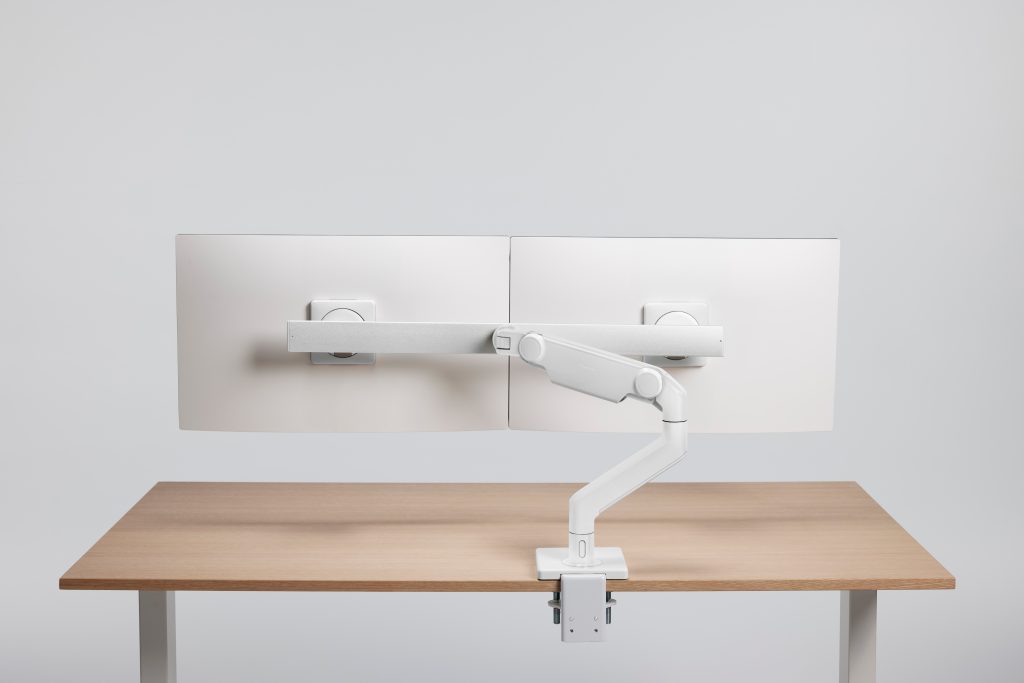
Small details also make a difference. A counterbalance indicator helps installers set the correct tension for the weight of the monitor, preventing the mechanism from being either too tight or too loose. Smart Stops can also be configured to restrict the arm’s rotation to 90, 180 or 360 degrees. In a workplace with multiple monitors positioned closely together, this helps prevent screens from colliding or encroaching on neighbouring workstations.
The result is a system that is both highly adaptable and visually restrained. Humanscale’s arms are available in a range of finishes, including black, white and grey, with the latest all-white colourway providing another option for designers looking to integrate technology into lighter material palettes. VESA plates are also available in different colours, allowing the finer details of the system to be coordinated with the workspace.
Installation has similarly been considered with simplicity in mind. The arms can be configured with clamp or bolt-through bases, while a quick-release mechanism makes it straightforward to attach or remove the monitor. Tools are integrated into the base, meaning the equipment required for adjustment and installation is already on hand. For larger projects, Humanscale can also provide installation support, with technicians available in Sydney and Melbourne.
Tidying up the accoutrements
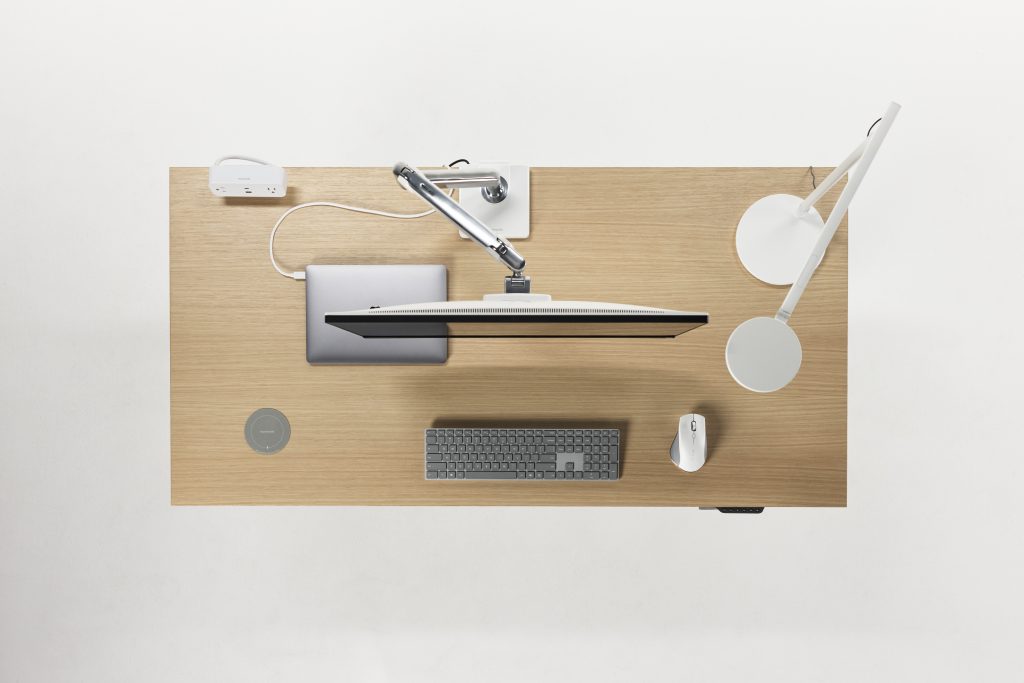
Cable management is another important consideration. Rather than allowing power and display cables to become a visual distraction, the system incorporates cable management into the arm itself, keeping the workstation clean and streamlined.
And for projects where one screen is not enough, the system can scale. Humanscale’s M-Flex can accommodate up to six monitors, while crossbar configurations provide a solution for dual-screen setups. Additional arms can be added to a central pole, allowing configurations to evolve as workplace requirements change.
Ultimately, specifying a monitor arm is about more than choosing a piece of office equipment. It is about considering how technology occupies space – and ensuring that it supports, rather than overwhelms, the architecture and interior around it.
With its combination of mechanical durability, ergonomic flexibility, understated aesthetics and adaptable configurations, Humanscale offers designers a considered way to bring one of the most visible elements of the contemporary workstation into the design conversation.
For further information visit the Humanscale website.
Image: Supplied.
You Might also Like


Related Stories

© Niche Media 2026